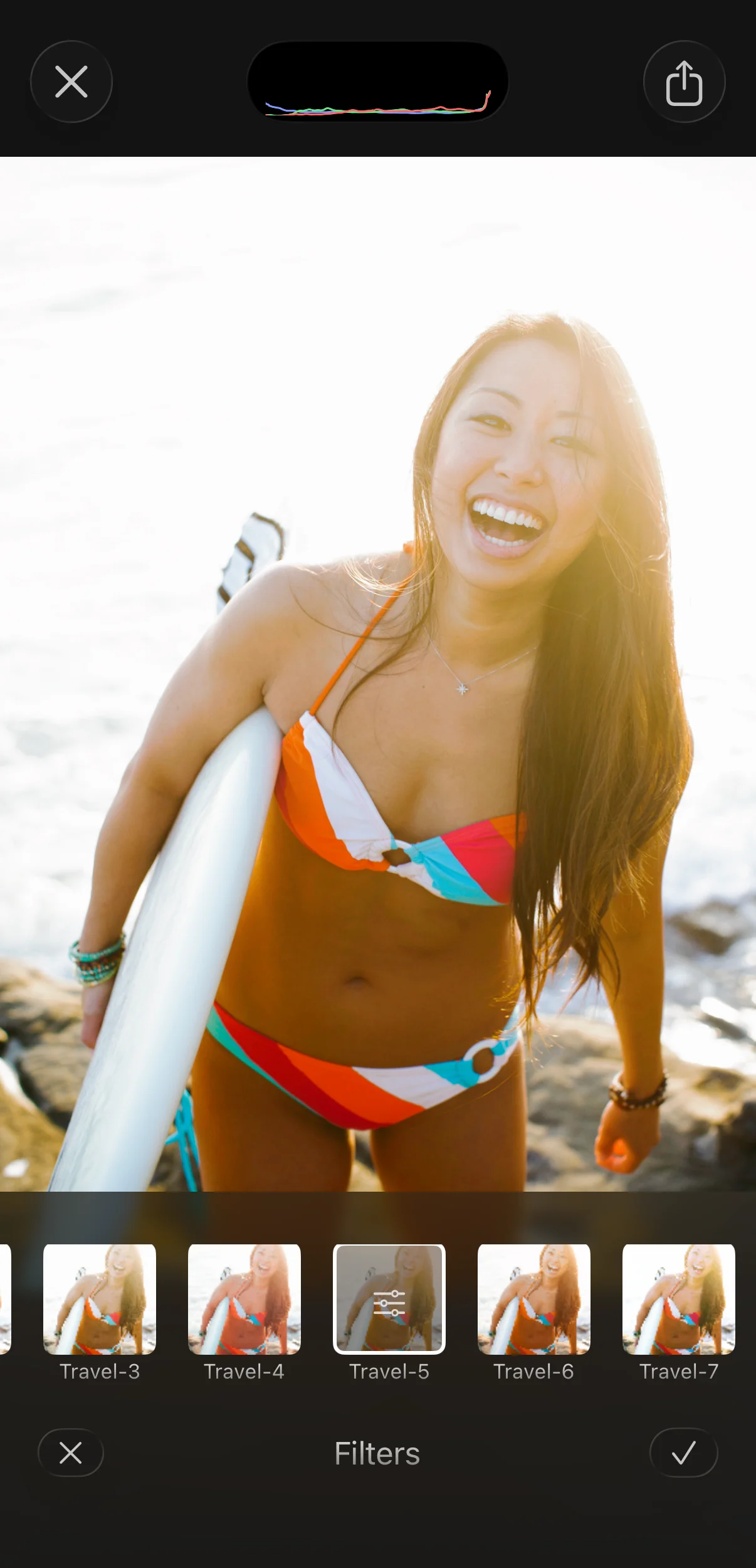
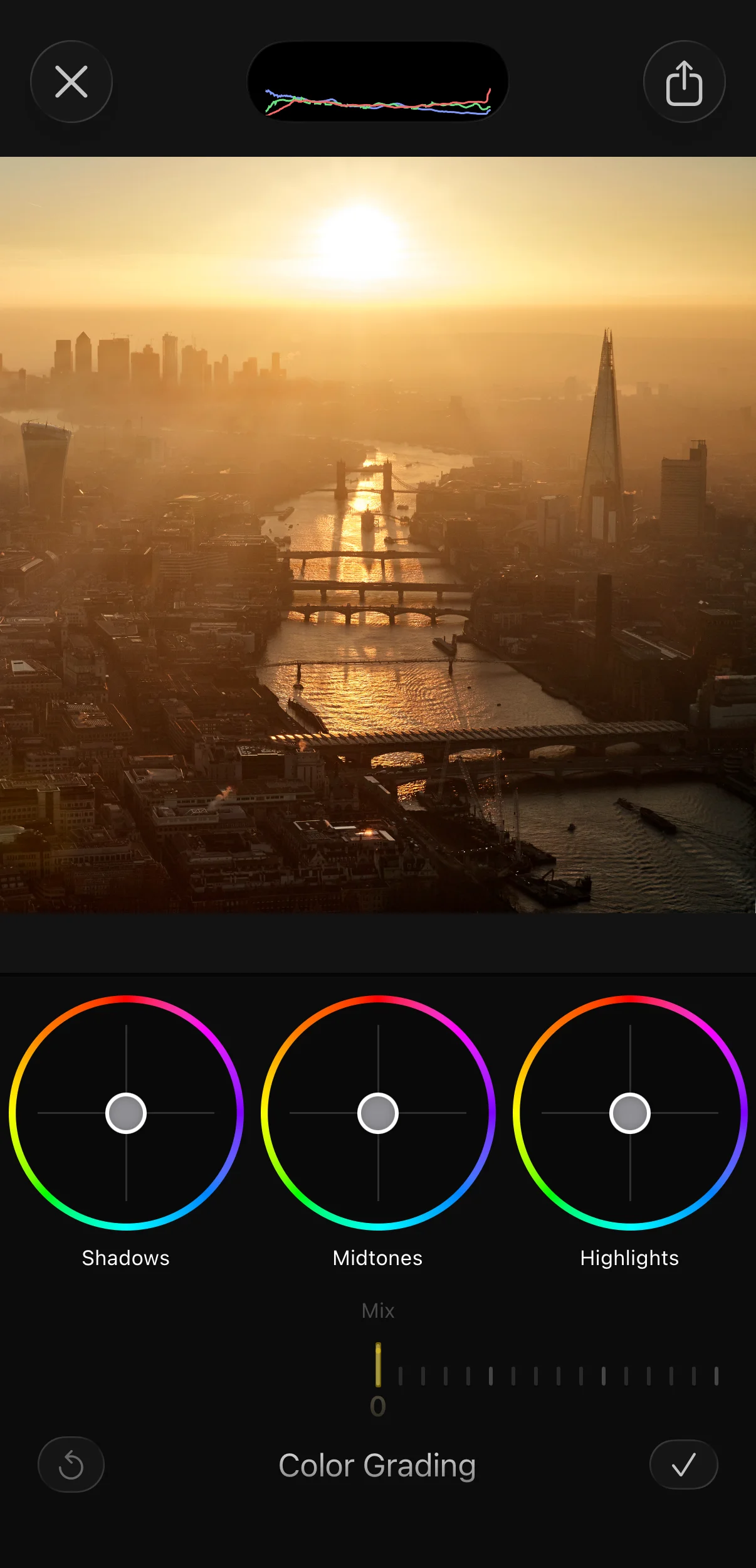
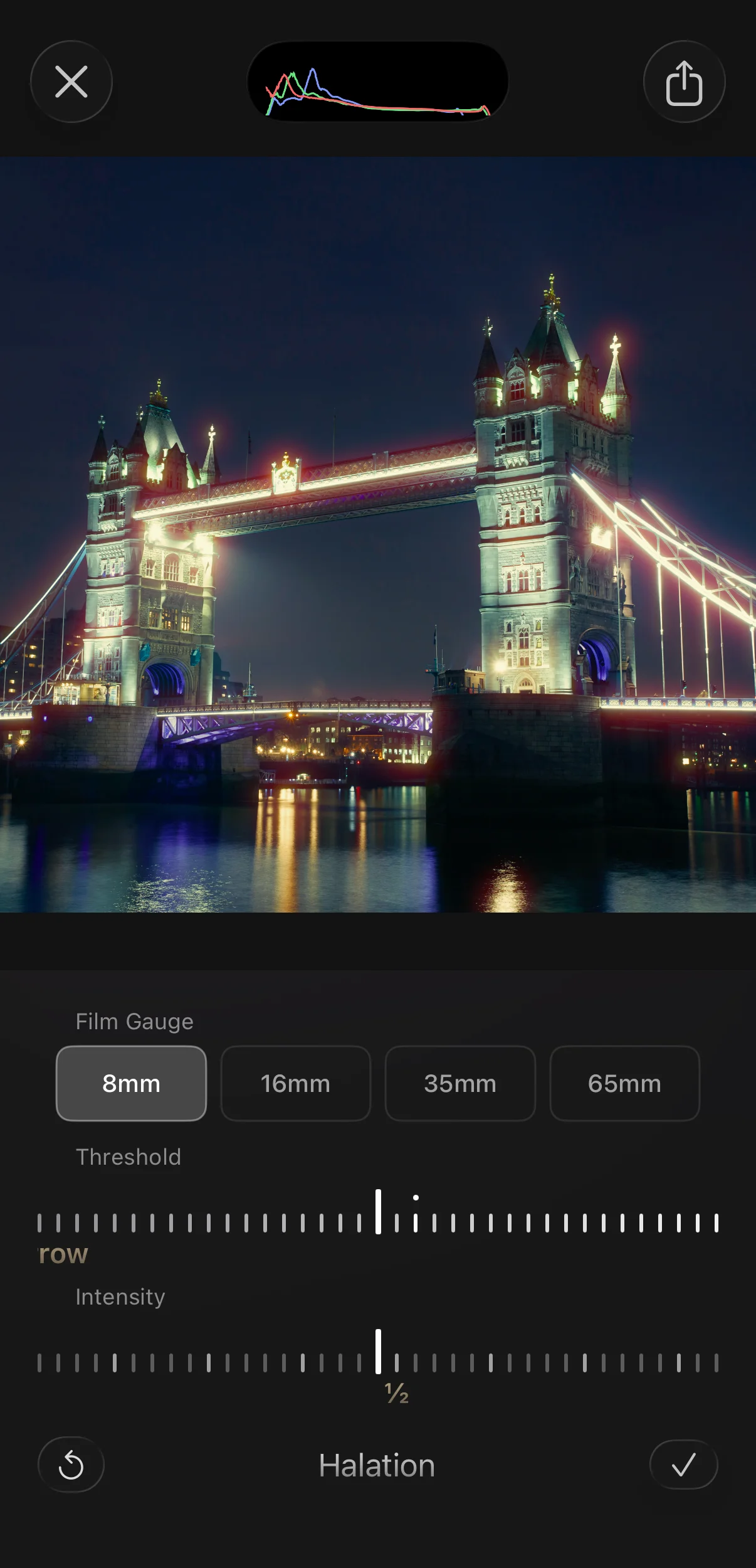
A new standard for mobile color.

DeluxeFX v26.5 introduces a true Hollywood-grade color grading studio in your pocket. Built on an ACES 2.0-based, 16-bit Metal pipeline, it supports Apple Log, ARRI, Sony, Canon, Nikon, Panasonic, DJI, Fuji, and Blackmagic log video, professional scopes, true 10-bit HEVC Main10 export, and cinematic finishing on iPhone.

DeluxeFX professional color grading on iPhone

Introducing Lion Core

Lion (Logarithmic Image Optimization Network)

Lion Core is the custom imaging engine behind DeluxeFX: a complete rewrite of the pipeline, built to carry video and photos from import to export with maximum precision, color consistency, and real-time performance.

ACES 2.0-Based Color
Professional color management on iPhone

An ACES 2.0-based workflow keeps color in a wider, scene-referred space while you grade, helping preserve natural contrast, balanced saturation, clean skin tones, smooth gradients, and consistent results from camera log to final export.
Scopes & Pro Grading
Grade by eye, verify with scopes

Waveform, RGB parade, vectorscope, histogram, and false color, plus log-space curves, OKLCH HSL, HSL curves, and primary corrections. Serious grading tools built for creators who want control, not filter stacking.

16-Bit Pipeline, 10-Bit Out
Precision from import to export

GPU-accelerated 16-bit Metal processing through the full grade, followed by true 10-bit HEVC Main10 export with P3 wide gamut. Built for smoother gradients, richer tones, cleaner shadows, and high-quality delivery on iPhone.

Camera Profiles Menu

Cinema cameras, phones, drones, and everyday clips.

What used to require complex desktop setup is now fast, intuitive, and built directly into the editing process.

Apple LogARRI LogC3 / LogC4Sony S-Log3Panasonic V-LogCanon Log 3Fuji F-Log / F-Log 2Nikon N-LogDJI D-Log / D-Log MBlackmagic Film Gen 5Standard iPhone VideoMeta GlassesDJI Osmo Pocket
Why ACES 2.0-Based

Professional color management, built for mobile.

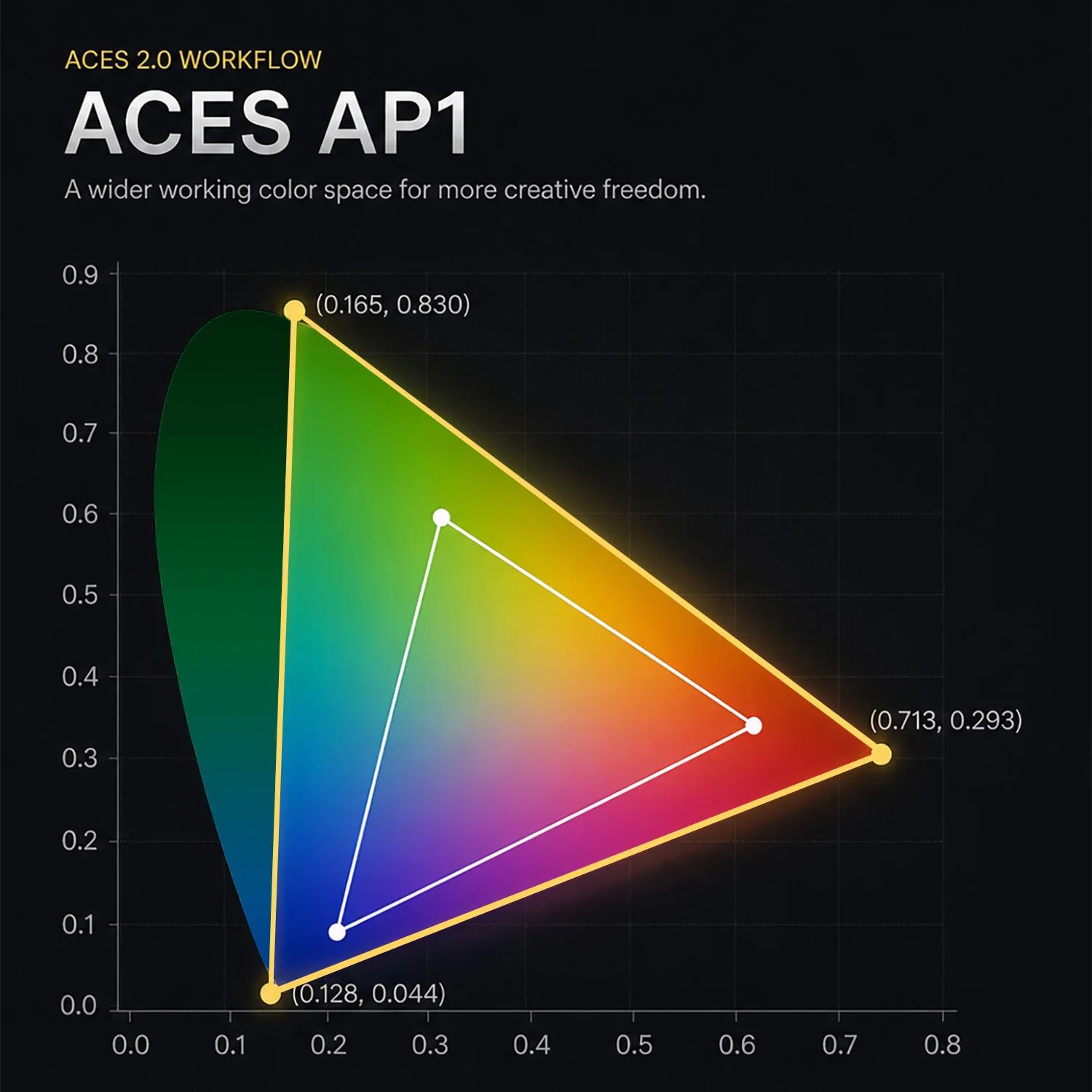
ACES, the Academy Color Encoding System, is an open color management system developed by the Academy of Motion Picture Arts and Sciences for professional film and television workflows.

DeluxeFX uses an ACES 2.0-based workflow to keep footage in a wider, scene-referred working space while you grade. Instead of baking the image into a limited display look too early, color stays more flexible, balanced, and consistent through the edit.

The result is cleaner skin tones, smoother gradients, stronger color separation, more natural saturation, and a final image that holds together under serious creative grading.

ACES AP1 chromaticity diagram showing the wider working color space used in DeluxeFX vs Rec.709
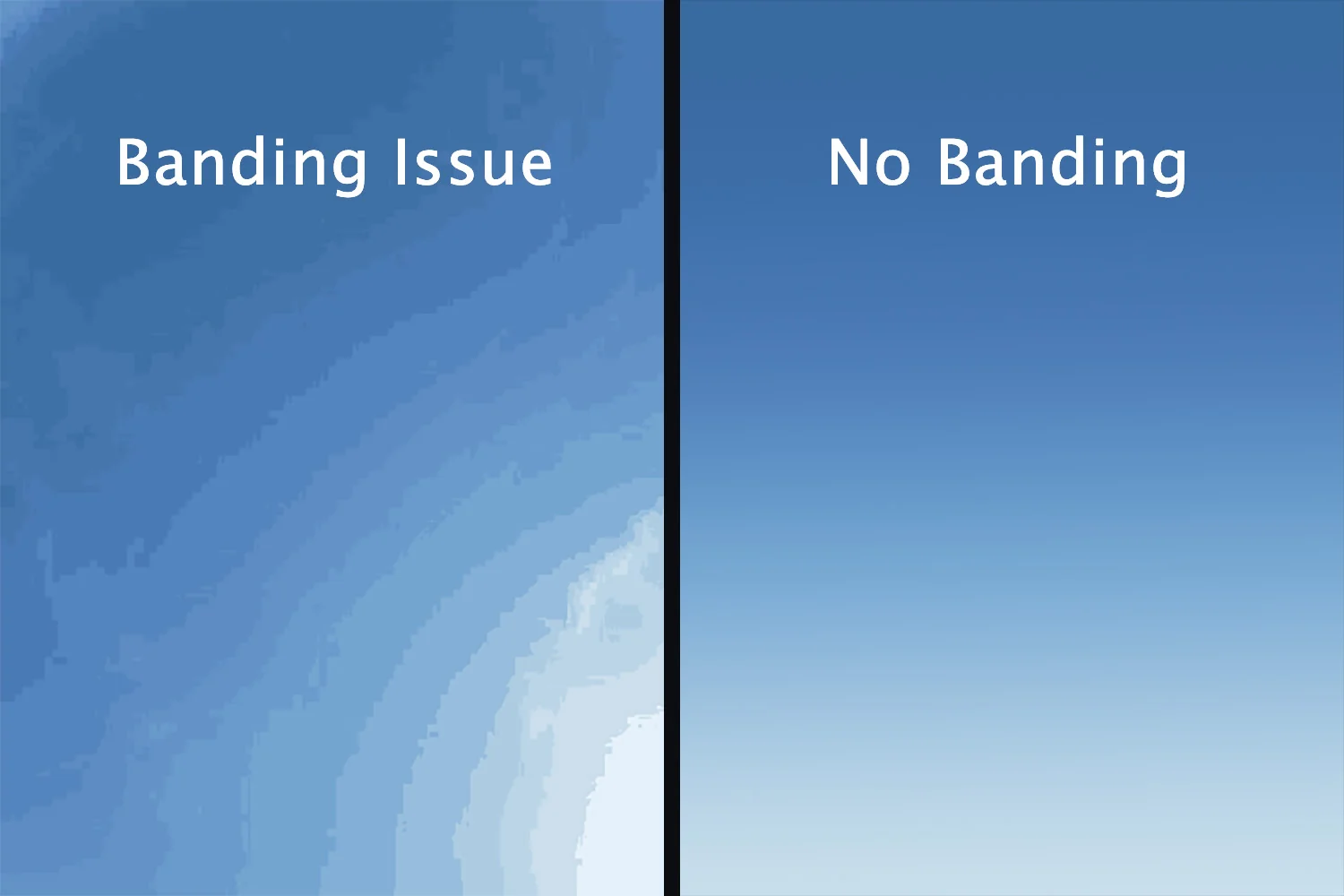
Sky gradient comparison showing banding artifacts on the left versus smooth tones on the right
Why Bit Depth Matters

Smooth gradients. Clean shadows. No cheap-looking banding.

When you push color, low bit-depth footage can break apart into banding, posterization, and rough skin tones. DeluxeFX is built to protect subtle tonal transitions through demanding edits.

Shoot at the highest bit depth your camera supports, such as 10-bit log when available, then grade in DeluxeFX. Lion Core's 16-bit floating-point pipeline helps preserve smooth skies, clean shadows, natural skin, and rich color all the way to export.

Grade With Real Tools

Grade by eye.
Verify with scopes.

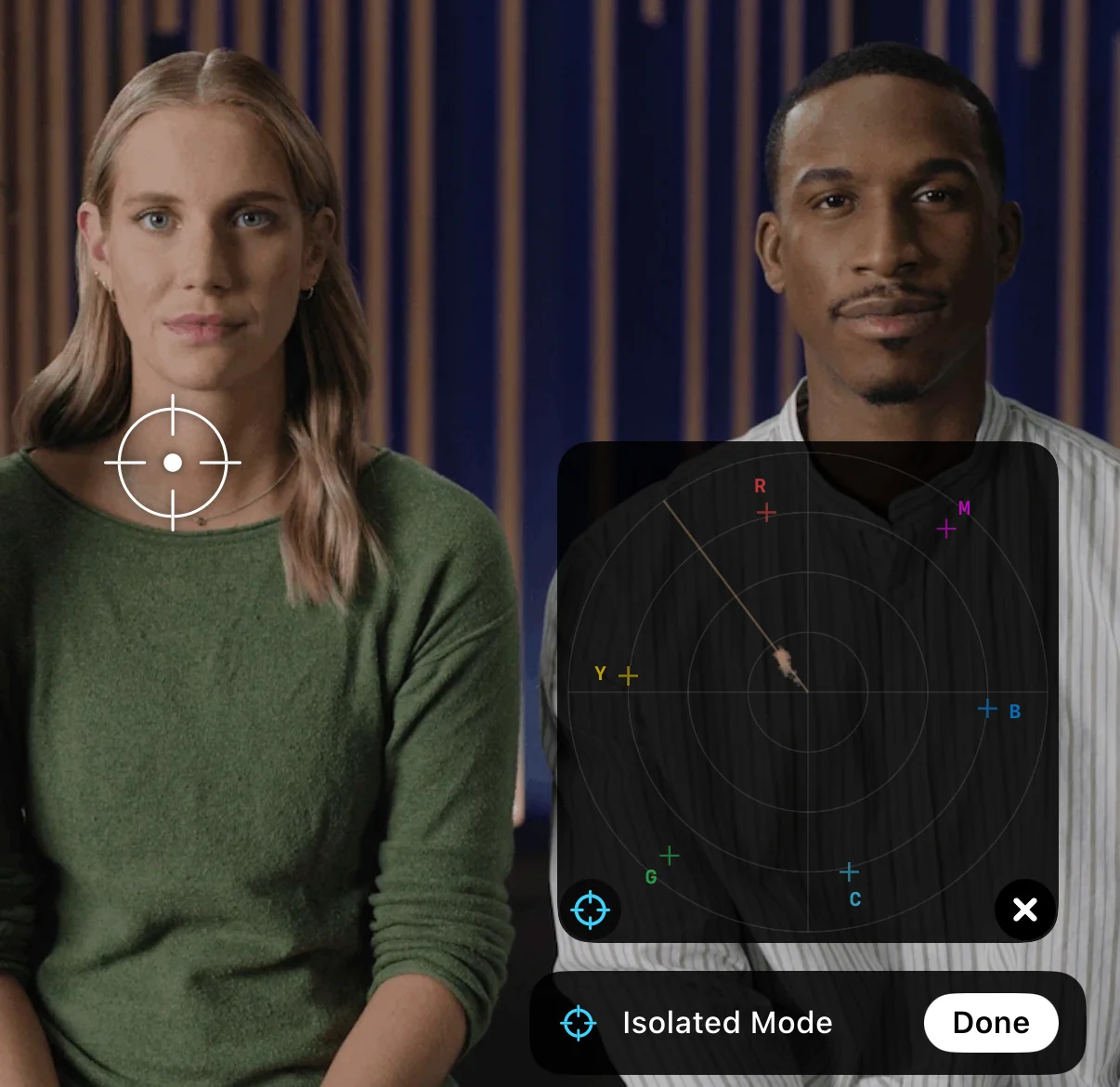
Use waveform, RGB parade, vectorscope, histogram, and false color to read exposure, balance, saturation, and skin tones with precision, not guesswork.

Then shape the image with lift, gamma, gain, offset, log curves, HSL tools, and perceptual color controls built for real grading.

Every move is visible, measurable, and intentional, from correcting a flat log image to building a finished cinematic look.

DeluxeFX Isolated Mode showing a vectorscope sample reticle locked to skin tones in real time
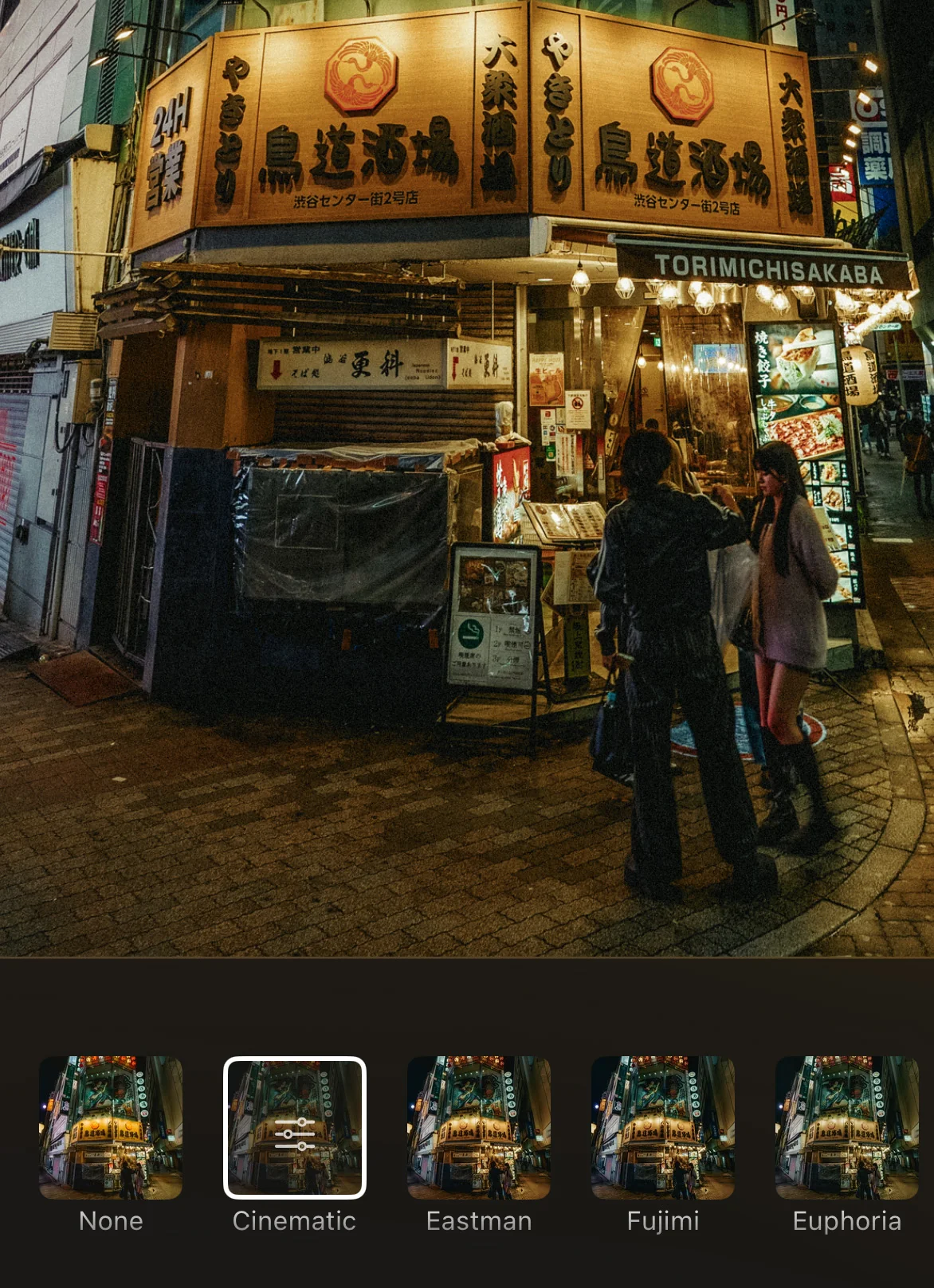
DeluxeFX cinematic LUT picker on a Tokyo street night scene
Not Just for Log

Every clip gets the same precision-first treatment.

You do not need to shoot log to benefit from DeluxeFX. Standard iPhone video, Meta glasses clips, DJI Osmo Pocket footage, drone shots, action-camera clips, and everyday memories all run through the same high-precision Lion Core engine.

So whether you are grading Apple Log, fixing a travel clip, or finishing a simple phone video, DeluxeFX gives every frame a cleaner, richer, more controlled path to the final image.

That means smoother gradients, more stable color, cleaner adjustments, and a more polished final result, even when the source was not captured in a professional camera format.

We are not trying to replicate desktop editors.

We are building something different: a professional color workflow designed from the ground up for the device in your pocket.

A workflow that feels immediate, touch-native, and powerful enough to take footage from flat capture to a finished cinematic image wherever you are.

No bulky timeline, no studio setup, no waiting to get back to a desk. Just serious color, finishing, and export tools wherever the image happens.

Designed for creators who want professional control without losing the speed, focus, and freedom of mobile editing.

From quick social clips to carefully graded camera-log footage, DeluxeFX keeps the process direct, precise, and image-first.

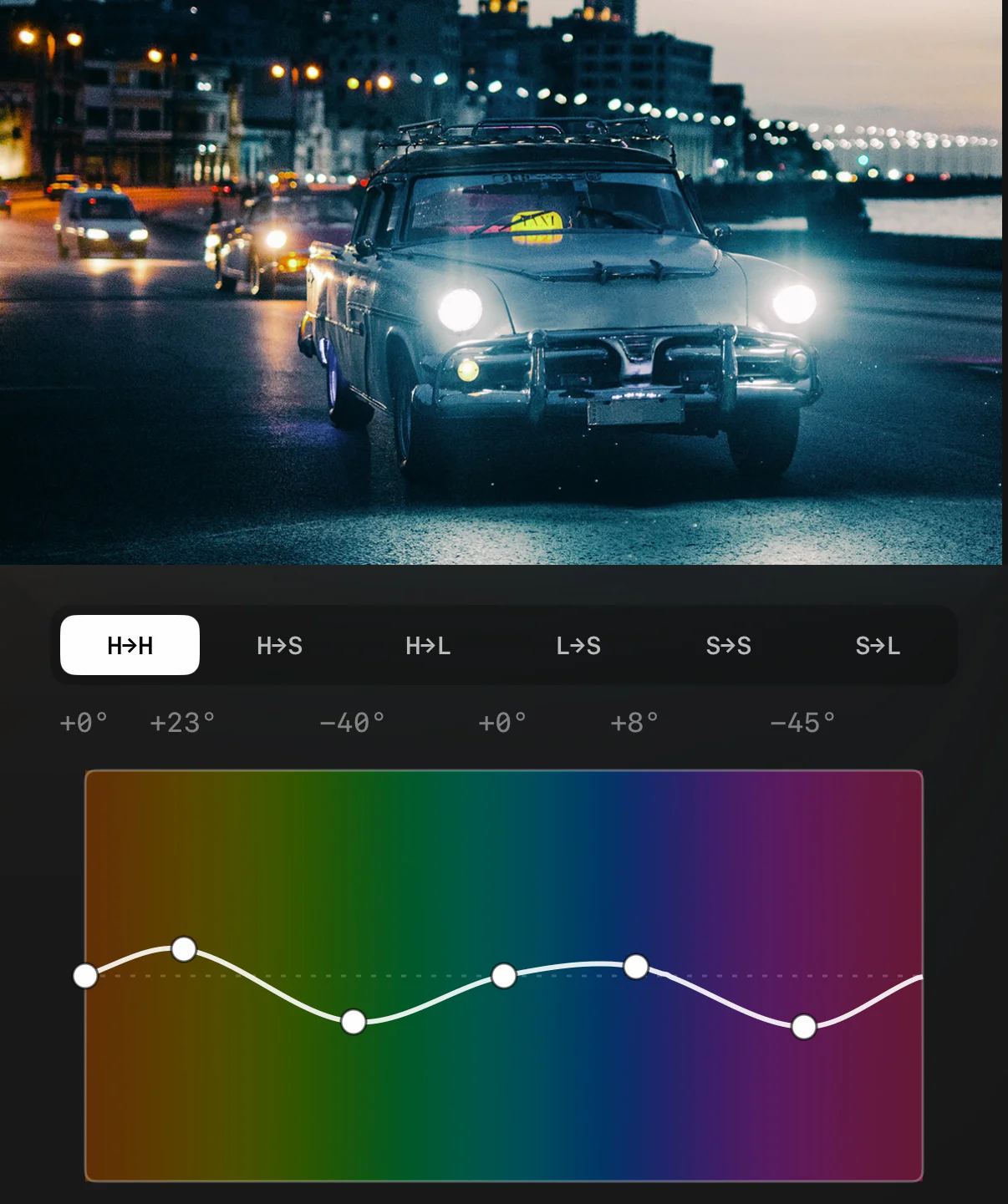
DeluxeFX Hue vs Hue HSL curves grading a cinematic vintage-car twilight scene
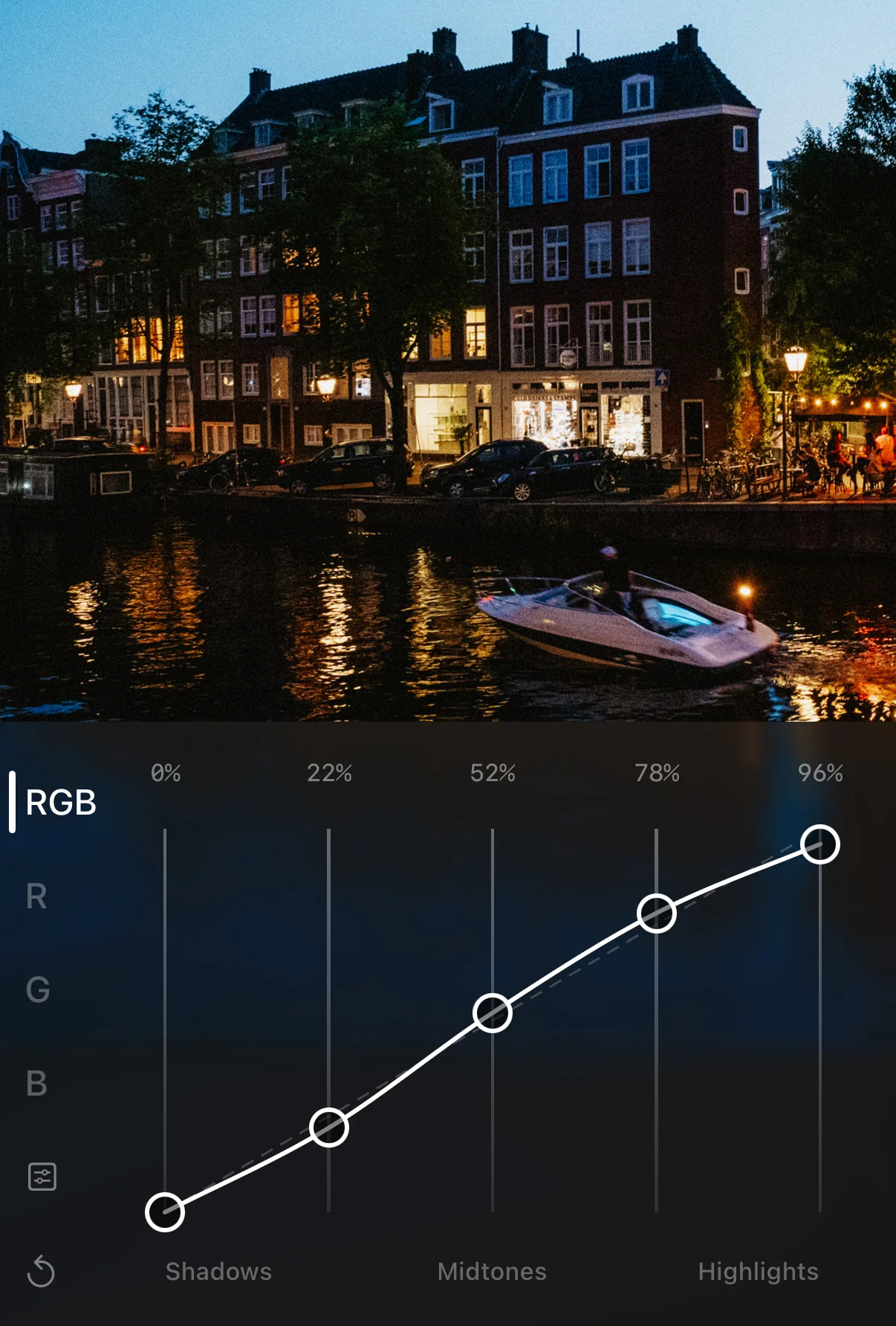
DeluxeFX RGB Curves grading an Amsterdam canal night scene

From first frame to final image.

With Lion Core Engine, an ACES 2.0-based color pipeline, real grading tools, professional scopes, and cinematic finishing, DeluxeFX is built as one complete system for creators who care about the final image.

It is made for the full journey: importing log or everyday footage, shaping exposure and color with precision, verifying the image with scopes, adding the final texture and atmosphere, and exporting with the quality your work deserves.

Precision, without the complexity.